by Lushh » 21 May 2020, 04:01
mrki444 wrote: At least they didn't hide it on desktop version. I rare use Youtube on smartphone since app can't run in background while screen is off.
This was my experience on mobile before finally finding the comments. First, I saw
Comments have moved and next to that
GO TO COMMENTS as shown in screenshot here.

- Screenshot_2020-05-20-22-49-35.png (435.88 KiB) Viewed 165 times
So I chose the
go to comments option. Then a blue box pops up
Tap to see all comments, as seen below. Surely, that was the area I kept tapping.

- Screenshot_2020-05-20-22-49-50.png (433.94 KiB) Viewed 165 times
This was how it looked after I tapped - naked, empty, dead!
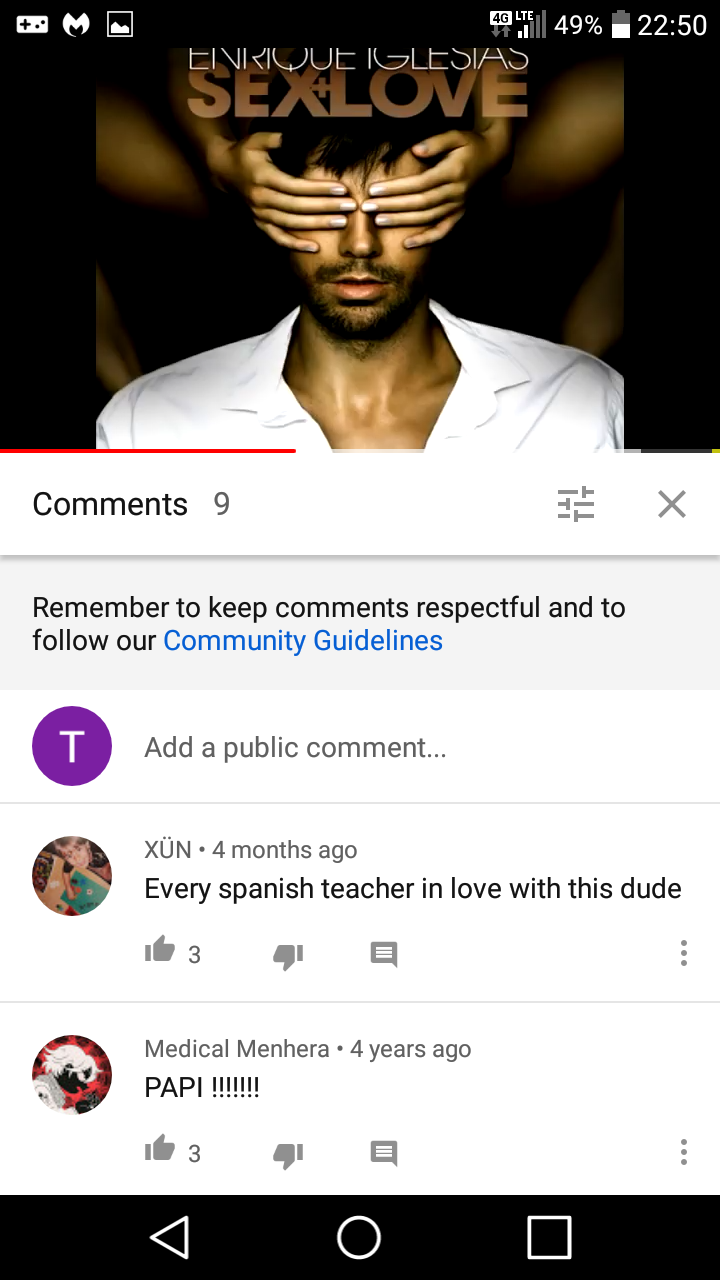
- Screenshot_2020-05-20-22-50-03.png (292.17 KiB) Viewed 165 times
-- 20 May 2020, 21:06 --
Until...one fine day, I decided to tap instead the word
comment and that's when I saw the light, lol. All comments became visible. So why did they have to do me like that!? @
mrki444, the images fell out of the natural order after I added that last one but I know you'll figure it out. Just follow the writing and then match the relevant images. The point is, they (YT) had me in circles just to read the comments.
- Screenshot_2020-05-20-22-50-03.png (292.17 KiB) Viewed 165 times
- Attachments
-

- Screenshot_2020-05-20-22-49-11.png (437.81 KiB) Viewed 165 times