





 by darkthorn » 16 Oct 2015, 21:19
  .
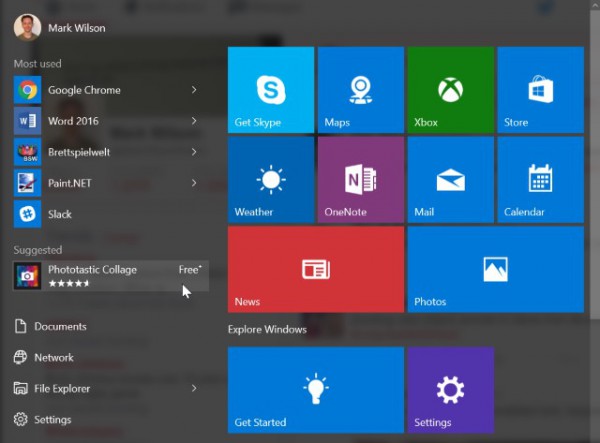
. Microsoft started displaying ads in the Start menu of the latest version of Windows 10, build 10547. For Microsoft the ads are not ads as they prefer describing them as apps suggestions ehehe.
The ads are shown between your list of most used apps and the Documents, Network, etc. Luckly there is a way to turn these ads off, all you have to do is the following:
Settings > Personalization > Start and toggle the Occasionally show suggestions in Start setting.
If you want to see how the start menu looks like with ads check the picture bellow:




 . If wasn't for some programs that only have a Windows version I would be using Linux all the time.